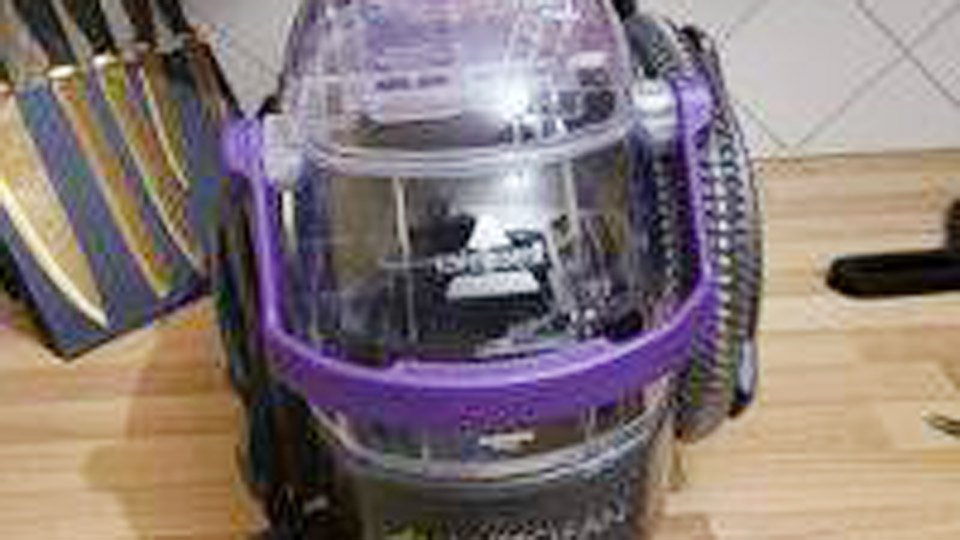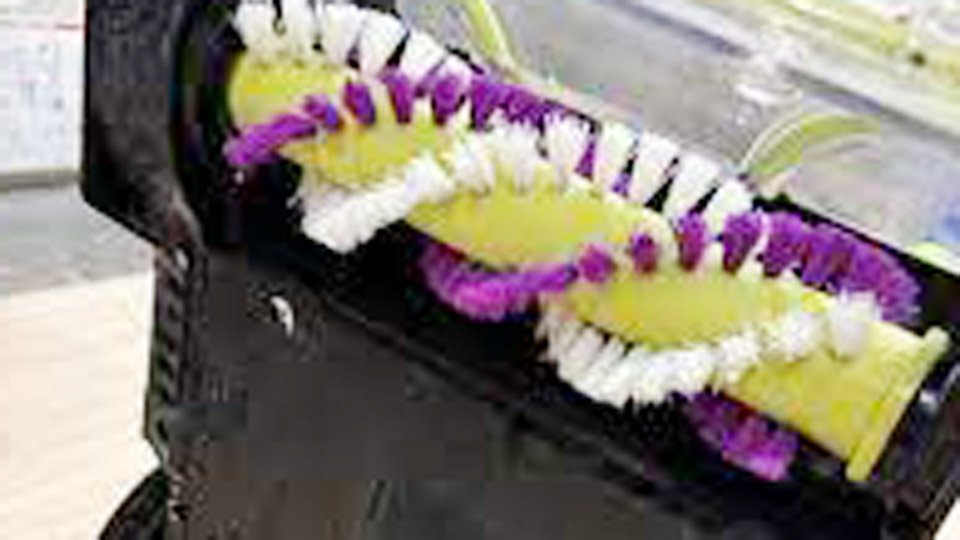
The first time I tried to deep clean my living room carpet with my Bissell ProHeat 2X Revolution, I was so proud of how fresh everything looked—until I noticed the brushes weren’t spinning like they used to. A closer peek revealed they were tangled with hair, pet fur, and bits of debris from months of use. If you’ve ever struggled to remove brushes from your Bissell ProHeat 2X Revolution, you know it can feel a bit intimidating at first.
But keeping those brushes clean isn’t just about better performance—it’s essential for stain removal, extending your machine’s life, and maintaining a truly hygienic home. Just like bathroom cleaning or kitchen deep cleaning, tackling this small maintenance task makes a big difference in results. In this guide, I’ll share exactly how I remove the brushes safely and easily, so you can get back to spotless carpets without the hassle.
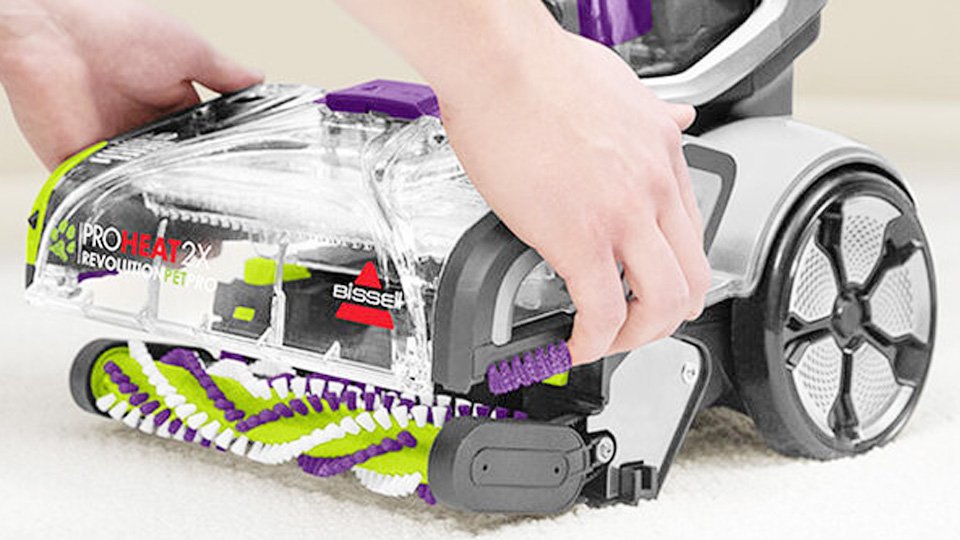
Photos by 420spotshop
Why Maintaining Your Bissell ProHeat 2X Revolution Matters
Your Bissell ProHeat 2X Revolution is a workhorse for tackling pet stains, juice spills, and everyday dirt. But those brushes do the heavy lifting, scrubbing deep into carpet fibers to lift grime. Over time, hair, debris, and residue can clog them, reducing efficiency and leaving your carpets less than spotless.
Regular maintenance not only keeps your machine running smoothly but also promotes a cleaner, healthier home—especially important if you’ve got kids or pets crawling around. Plus, it’s a cost-effective way to extend your cleaner’s lifespan, saving you from replacement costs.
Neglecting brush maintenance can lead to moldy odors, reduced suction, or even motor strain. By taking a few minutes to remove and clean the brushes, you’re ensuring your home stays fresh and your machine stays reliable. Let’s dive into the steps to make this task simple and stress-free.
What You’ll Need Before You Start
Before we get to the nitty-gritty, gather these items to make the process smooth:
- A Phillips head screwdriver (usually included with your Bissell)
- A clean, dry towel or cloth
- Warm water and mild dish soap
- A small brush (like an old toothbrush) for scrubbing
- A flat, clean workspace
- Optional: replacement brushes if yours are worn out
Having everything ready saves time and keeps you focused. I like to set up on my kitchen table with a towel to catch any drips or debris. If you’re a busy parent like me, you might want to do this when the kids are napping to avoid interruptions.
Safety First: Preparing Your Machine
Safety is key when working with any appliance. Here’s how to prep your Bissell ProHeat 2X Revolution:
Unplug the Machine: Always disconnect the power cord to avoid accidental starts. I learned this the hard way when I bumped the power button mid-cleanup and got a surprise spray of water.
Empty the Tanks: Remove the clean and dirty water tanks to prevent spills. The dirty water tank can get pretty gross, so I recommend dumping it in the sink and rinsing it out first.
Clear the Area: Work in a well-lit, flat space. If you’re dealing with pet hair or debris, have a trash bin nearby to dispose of gunk.
These steps protect you and your machine, ensuring a hassle-free process. Now, let’s get to removing those brushes.
Step-by-Step Guide to Removing the Brushes
Removing the brushes from your Bissell ProHeat 2X Revolution is straightforward if you follow these steps. I’ve broken it down to make it as clear as possible, even if you’re not particularly handy.
Step 1: Access the Brush Compartment
Turn your machine upside down so the bottom faces up. You’ll see the brush cover, a rectangular panel with screws securing it. This is where the magic happens—those brushes are tucked inside, ready for some TLC.
Locate the Screws: Depending on your model (like the 1551 or 2066 series), you’ll find 4-6 screws on the brush cover. They’re usually Phillips head, so grab your screwdriver.
Remove the Screws: Carefully unscrew each one and set them aside in a small container. I once lost a screw under the couch, and it was a nightmare to find, so don’t skip this tip!
Step 2: Remove the Brush Cover
Once the screws are out, gently lift the brush cover off. It might feel snug, so wiggle it carefully to avoid breaking any plastic tabs. Underneath, you’ll see the brush rolls—typically two or more cylindrical brushes with bristles.
Check for Debris: Before pulling the brushes out, take a moment to clear any obvious hair or strings wrapped around them. I use my fingers or a pair of scissors to snip away pet hair, which seems to multiply in my machine.
Note the Orientation: The brushes may have specific left and right sides or color-coded ends. Take a quick photo with your phone to remember how they fit back in.
Step 3: Pull Out the Brush Rolls
The brushes are held in place by end caps or clips. Here’s how to remove them:
Release the End Caps: Look for plastic tabs or clips at one end of each brush. On most models, you can press or slide these to release the brush. Some models have a pull-tab for easy removal.
Gently Pull: Tug the brush out gently, keeping it level to avoid damaging the housing. If it’s stuck, check for hidden debris or clips you might have missed.
Repeat for All Brushes: If your model has multiple brushes, remove each one the same way.
Step 4: Inspect and Clean the Compartment
With the brushes out, you’ll see the compartment where they sit. It’s often a mess of hair, dirt, and soap residue. Take a moment to clean it:
Wipe Down the Area: Use a damp cloth to wipe out loose debris. Avoid soaking the area, as excess water can damage internal components.
Check for Wear: Look for signs of damage, like cracks in the housing or worn-out belts. If the belt looks frayed, consider replacing it (Bissell sells replacement kits online).
Step 5: Clean the Brushes
Now that the brushes are out, it’s time to give them a thorough cleaning. This step is crucial for restoring your machine’s performance.
Remove Debris: Use your fingers or a small brush to remove hair, strings, and dirt. I find that an old toothbrush works wonders for getting into the bristles.
Wash the Brushes: Soak the brushes in a bowl of warm water with a drop of mild dish soap. Scrub gently to remove stuck-on grime, then rinse thoroughly. Avoid harsh chemicals like bleach, which can damage the bristles.
Dry Completely: Pat the brushes dry with a towel and let them air dry for a few hours. Don’t reassemble until they’re fully dry to prevent mold or mildew.
Step 6: Reassemble the Machine
Once the brushes are clean and dry, it’s time to put everything back together:
Reinsert the Brushes: Slide each brush back into its slot, ensuring it aligns with any color-coded or directional markers. You should hear a click when they lock into place.
Replace the Brush Cover: Position the cover over the compartment and screw it back in. Tighten the screws snugly but don’t overdo it—stripping the plastic is easy.
Double-Check: Give the brushes a gentle spin with your hand to ensure they move freely. If they’re stiff, you may have misaligned them.
Step 7: Test Your Machine
Plug the machine back in, reattach the tanks, and run a quick test cycle on a small carpet area. Watch for even water distribution and brush movement. If something feels off, double-check the brush alignment or consult your manual.
Common Mistakes to Avoid
Even with the best intentions, it’s easy to slip up. Here are some pitfalls I’ve encountered and how to steer clear:
Forgetting to Unplug: Always unplug the machine to avoid shocks or accidental starts.
Using Harsh Cleaners: Stick to mild dish soap to protect the brushes and machine parts.
Forcing the Brushes: If a brush won’t come out, don’t yank—check for hidden clips or debris.
Skipping Drying: Wet brushes can lead to mold, which is a health hazard in your home.
Quick Checklist for Success
- Unplug the machine
- Gather tools (screwdriver, cloth, soap, toothbrush)
- Remove and clean water tanks
- Unscrew and lift brush cover
- Remove brushes carefully
- Clean brushes and compartment
- Dry brushes completely
- Reassemble and test
When to Replace Your Brushes
Sometimes, cleaning isn’t enough. If your brushes are frayed, missing bristles, or cracked, it’s time for a replacement. Bissell sells compatible brush rolls online, and they’re easy to install using the same steps above.
I check mine every 6-12 months, especially with heavy use in my pet-filled home. Replacing them can make your machine feel brand-new, saving you from buying a whole new cleaner.
Signs You Need New Brushes
- Bristles are worn or uneven
- Brushes don’t spin smoothly
- Cleaning performance has dropped despite maintenance
- Visible cracks or damage on the brush rolls
Real-Life Scenarios: Why This Matters
Let’s talk about why this maintenance task is a big deal for busy American households. Imagine you’re a renter with a tight budget, and your landlord expects the carpets to stay pristine. Regular brush maintenance keeps your Bissell ProHeat 2X Revolution performing well, helping you avoid costly professional cleanings.
Or maybe you’re a parent, like me, dealing with endless juice spills and pet accidents. Clean brushes mean your carpets stay hygienic, reducing allergens that could affect your kids’ health. For cleaning enthusiasts, maintaining your machine is satisfying—it’s like giving your trusty tool a tune-up to keep your home sparkling.
Tips for Keeping Your Bissell in Top Shape
Beyond brush removal, here are some extra tips to maximize your machine’s performance:
- Clean After Every Use: Empty and rinse the dirty water tank to prevent odors. I also wipe down the brushes after heavy jobs, like cleaning up after my dog’s muddy romp.
- Use the Right Solution: Stick to Bissell’s cleaning formulas or mild alternatives to avoid damaging the machine.
- Store Properly: Keep your machine in a dry, cool place to prevent mold growth.
- Check the Belt: The brush belt can wear out, so inspect it during maintenance. A replacement is cheap and easy to install.
Dos and Don’ts for Bissell Maintenance
| Do | Don’t |
|---|---|
| Unplug before maintenance | Use bleach or harsh chemicals |
| Clean brushes regularly | Force brushes out or in |
| Dry brushes completely | Ignore frayed belts or brushes |
| Use Bissell-approved solutions | Store in a damp area |
Why This Small Task Makes a Big Difference
Taking the time to remove and clean the brushes on your Bissell ProHeat 2X Revolution is more than just a chore—it’s an investment in your home’s cleanliness and your family’s comfort. A well-maintained machine tackles messes efficiently, saving you time and money while keeping your carpets fresh and inviting.
Whether you’re a busy parent juggling spills, a renter aiming to impress your landlord, or a cleaning enthusiast who loves a spotless home, this simple task empowers you to take control. You’ll feel proud knowing you’ve kept your machine in top shape, ready to handle whatever life throws at your carpets.
Frequently Asked Questions
How often should I clean the brushes on my Bissell ProHeat 2X Revolution?
Clean the brushes every 3-6 months, depending on usage. If you have pets or kids, aim for every 3 months to keep performance optimal. Regular cleaning prevents clogs and extends the machine’s life.
Can I use any soap to clean the brushes?
Stick to mild dish soap diluted in warm water. Harsh chemicals like bleach can damage the bristles or plastic, reducing the brushes’ effectiveness.
What should I do if the brushes won’t come out?
Check for hidden clips or debris holding them in place. Gently wiggle the brush while pressing the release tab. If it’s still stuck, consult your Bissell manual or contact their support.
Is it safe to wash the brushes in a dishwasher?
No, dishwashers can damage the brushes’ bristles and plastic components. Hand-wash them with warm water and mild soap, then air dry completely.
How do I know if I need to replace the brushes?
Replace brushes if you notice frayed bristles, cracks, or reduced cleaning performance even after maintenance. Bissell sells replacement brush rolls online, and they’re easy to install.